Not mass-produced. Made with purpose.
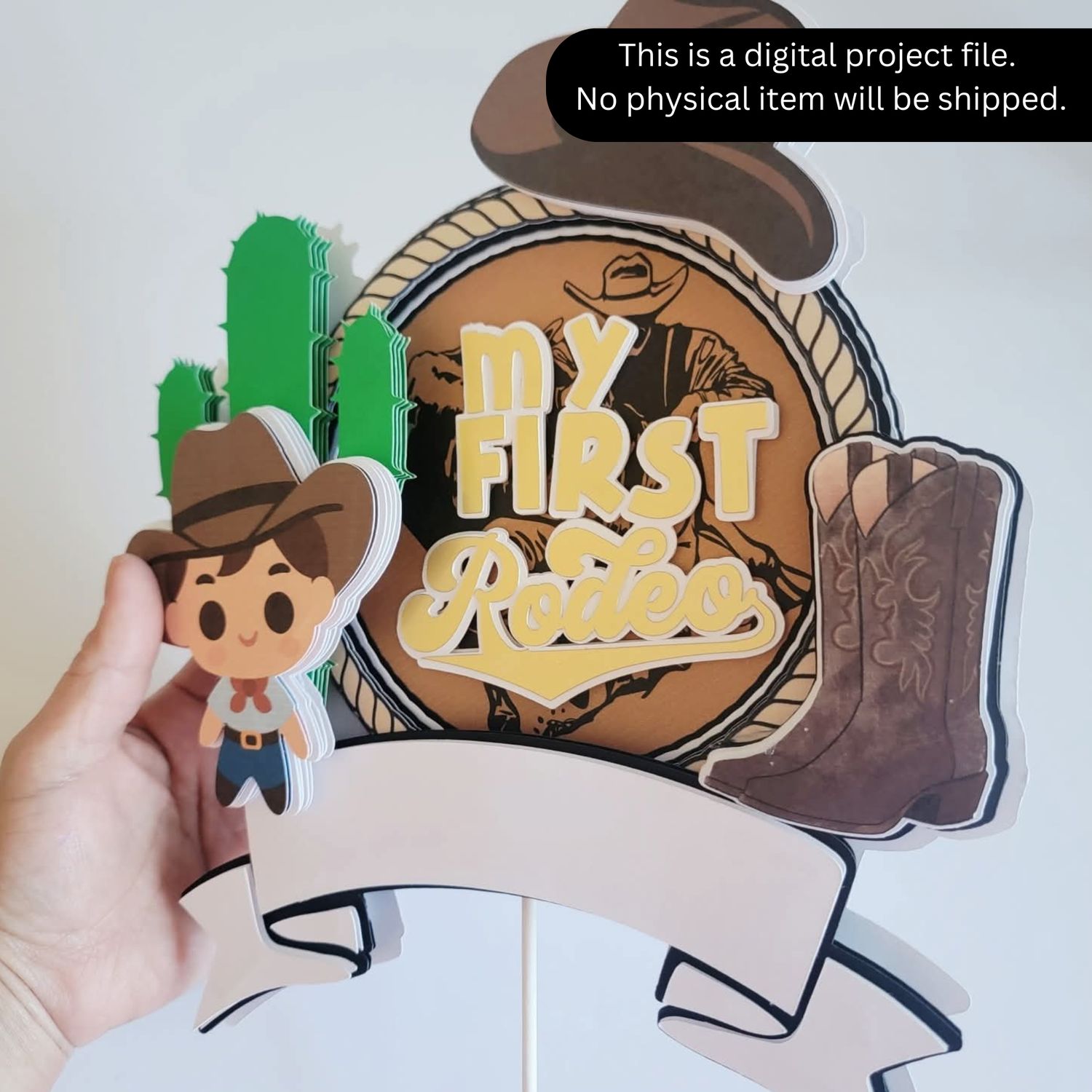
MY FIRST RODEO CAKE TOPPER CRICUT DESIGN FILE
C$2.50
DIGITAL FILE
In stock
Product Details
Cricut Project File Instructions
Thank you for purchasing this Cricut project file! This design is beginner-friendly and ready to use. No designing needed—just personalize, cut, and assemble.
What You Will Receive
• A download link to the Cricut project file
• The design is already sized and arranged for easy cutting
Before You Start
Make sure you have:
• Access to Cricut Design Space
• Cardstock or your preferred material
• Glue, foam tape, or adhesive for assembly
• Cutting machine (Cricut Maker, Explore, or Joy)
Personalizing the Design
Open the project file using the provided link.
Locate the name and age text layers.
Edit the text to your desired name and age.
⚠️ Important:
After editing the name, make sure to Offset the name 3 times to recreate the layered border effect used in the sample design.
Cutting the Design
Click Make It in Cricut Design Space.
Follow the mat layout shown on the screen.
Load your material and start cutting.
Assembling the Cake Topper
Carefully remove all pieces from the mat.
Layer the pieces following the design preview.
Use glue or foam tape to create dimension if desired.
Attach sticks or skewers to the back of the topper.
Helpful Tips
• Use heavy cardstock (65–110 lb) for best results.
• Foam tape between layers adds a 3D look.
• Test cut if you’re using specialty materials.
Important Notes
• This is a digital project file. No physical item will be shipped.
• The file is intended for personal crafting use unless otherwise stated.
• Because this file is digital, all sales are final.
Save this product for later
MY FIRST RODEO CAKE TOPPER CRICUT DESIGN FILE
Display prices in:CAD